

Overview
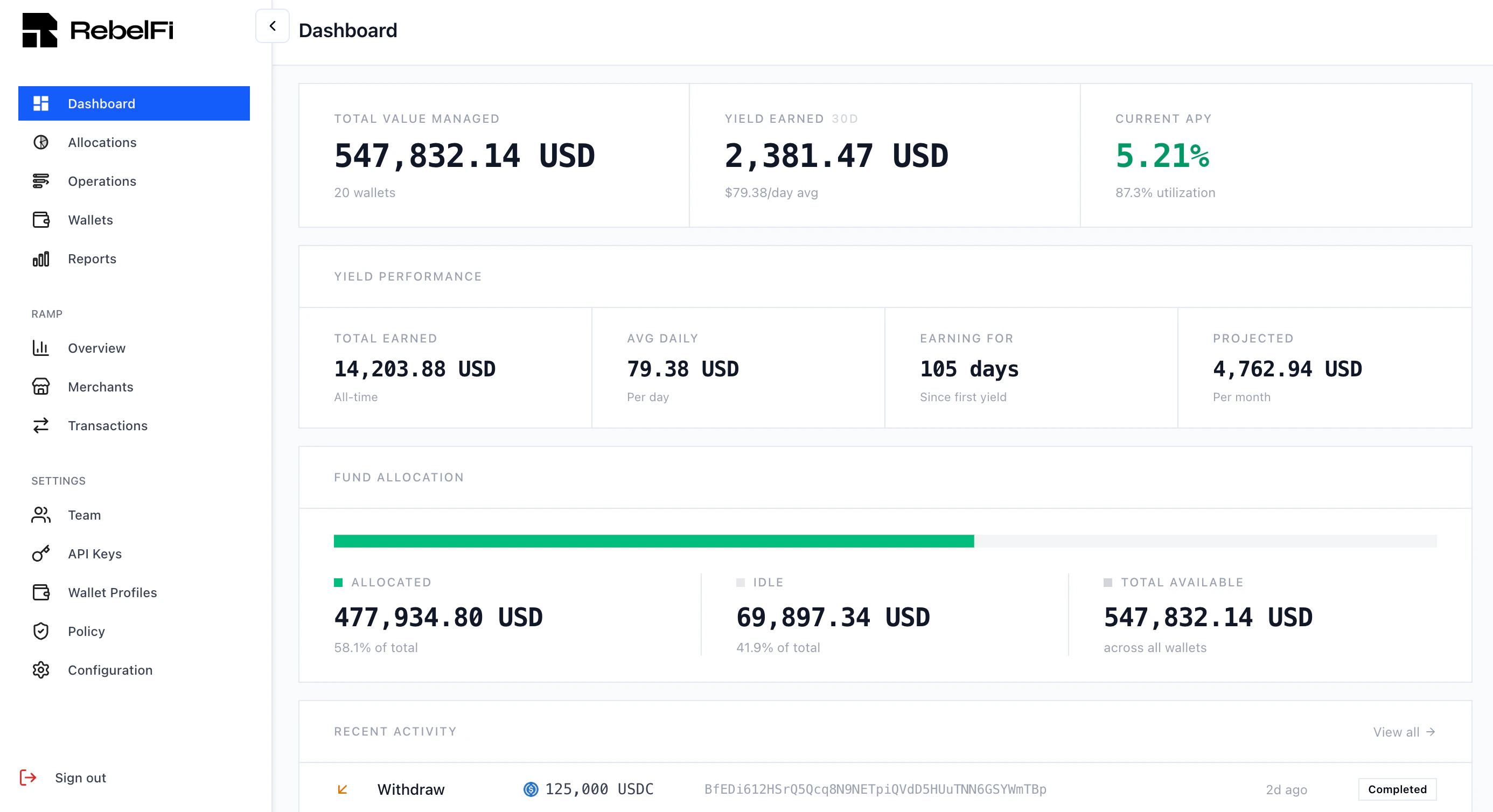
The dashboard home screen shows a real-time summary of your organization:- Total Value Managed — aggregate value across all wallets
- Yield Earned — earnings over the last 30 days
- Current APY — portfolio-weighted average yield
- Fund Allocation — breakdown of allocated vs. idle capital
- Recent Activity — latest operations and their statuses
Manual Allocations
You can connect a browser wallet (MetaMask, Phantom, etc.) directly to the dashboard to perform supply and unwind operations manually. This is useful for:- Testing flows before building API/SDK automation
- One-off treasury operations
- Verifying strategy behavior on a new chain or protocol
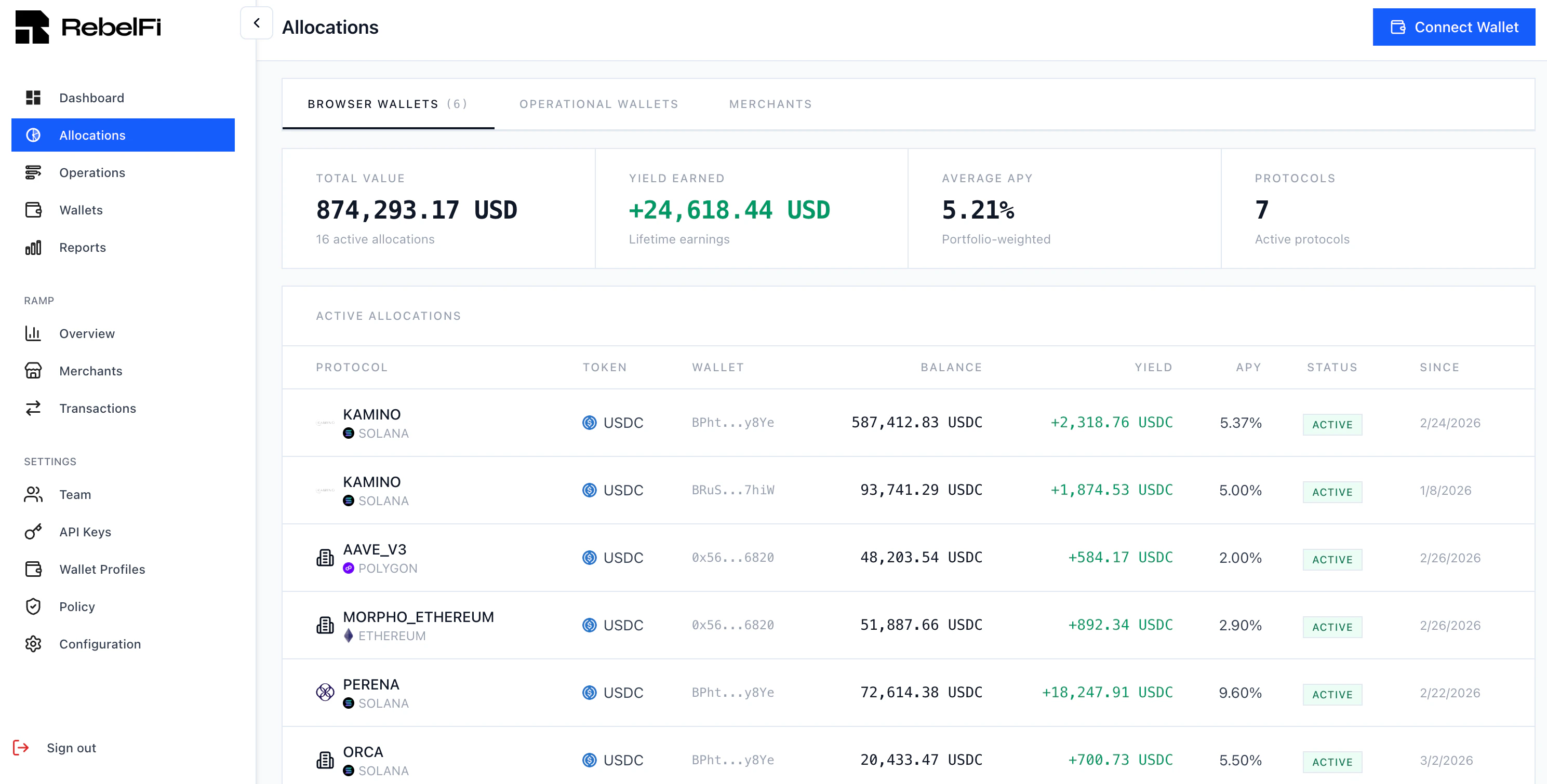
| Column | Description |
|---|---|
| Protocol | The DeFi protocol and blockchain |
| Token | The stablecoin deployed |
| Balance | Current position value |
| Yield | Earnings accrued on this position |
| APY | Current annual percentage yield |
| Status | Active, pending, or unwinding |
| Since | When the allocation was created |
Reporting
The Reports page provides a full transaction history with filtering by date range, transaction type, and asset.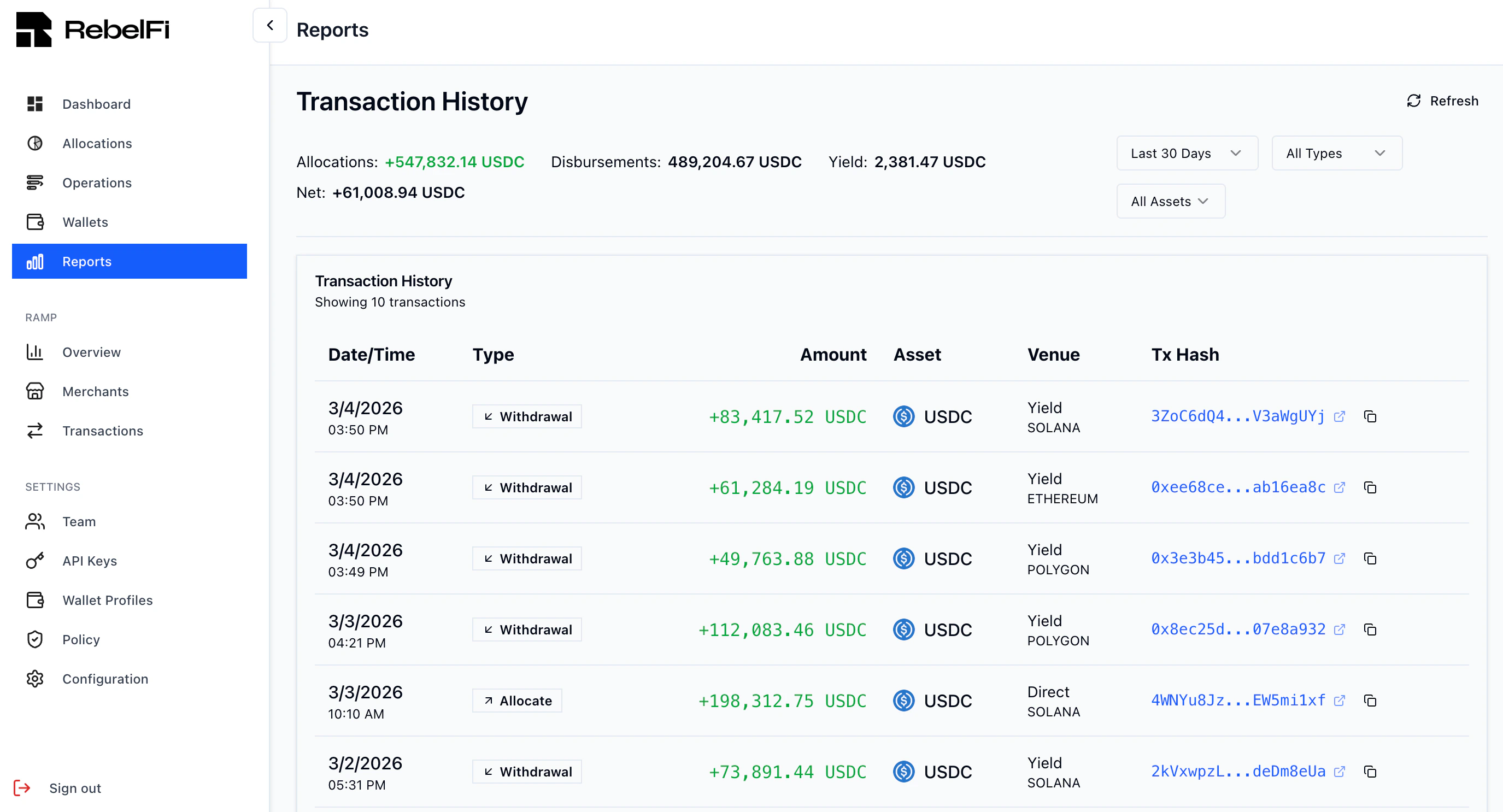
Settings
Wallet Profiles
Go to Settings → Wallet Profiles to create and manage profiles. A Wallet Profile groups SDK-managed wallets with shared configuration: enabled blockchains, operation timeout, and gas sponsorship settings. You must create a profile before generating an API key. See Wallet Profiles for full details.API Keys
Go to Settings → API Keys to generate keys. Each key is linked to a Wallet Profile and can only manage wallets within that profile. See Authentication for key management best practices.Policy
The Policy page lets you configure operational guardrails — for example, maximum allocation amounts, allowed strategies, or approval requirements.Next Steps
Quick Start
Deploy your first allocation
Wallet Profiles
Configure chains, timeouts, and gas sponsorship
Sandbox
Test in our sandbox environment
SDK Introduction
Automate operations with the TypeScript SDK